2. Hardware Setup
Configure your EEG hardware parameters, bind electrode sites, and establish a stable serial connection.
Hardware Parameters
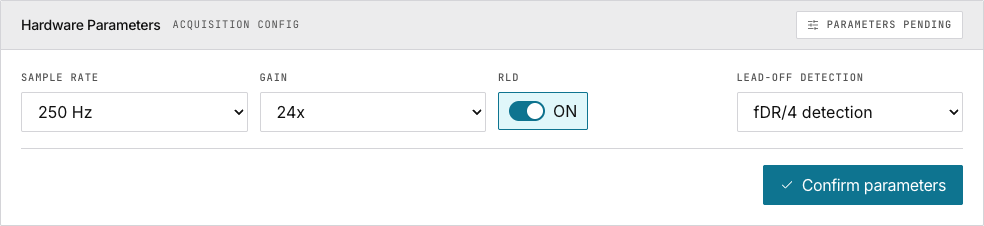
| Parameter | Default | Description |
|---|---|---|
| Baud rate | 921600 | Serial communication speed |
| Sample rate | 250 Hz | Samples per channel per second |
| Gain | — | Amplifier gain setting |
| RLD | ON | Right leg drive for noise reduction |
| Lead-off detection | Off | Options: fDR/4, 7.8 Hz, 31.2 Hz |
Click Confirm parameters. The badge turns green: Parameters locked.
Acquisition Site Binding
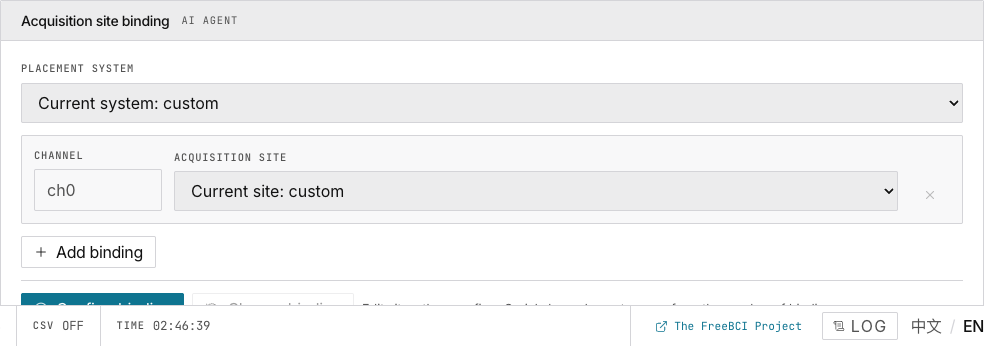
Maps electrode positions to data channels.
- Select a Placement system
- Click Add binding — creates a new channel row
- Type the site name
- Click Confirm binding
Note: For 1CH demo workflows, one confirmed site binding is enough. For 8CH workflows, bind every active channel to its actual site before relying on multichannel monitoring or analysis.
Serial Connection
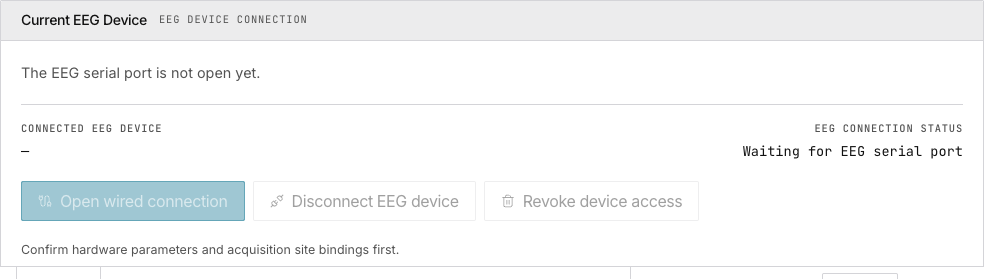
Both hardware parameters and site bindings must be confirmed before connecting.
Click Open wired connection → select device from browser dialog. The app sends EEGRST → EEGCFG → waits for ACKs.
Click Disconnect EEG device to close. Click Revoke device access to remove site permission.
Data Stream
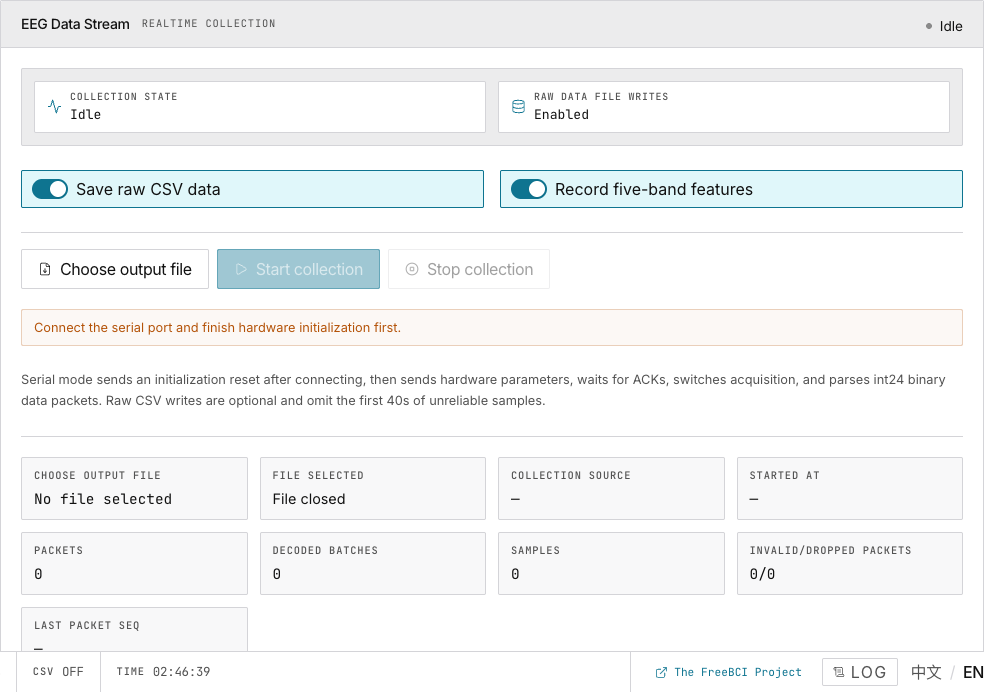
Click Start collection to begin sampling. Optional CSV output: toggle ON → choose file. First 30s excluded for device warmup.
Stream states: Idle → Starting → Collecting → Stalled (no packet for 2s).
Filter Controls

4th-order Butterworth IIR band-pass filter. Adjust high-pass/low-pass cutoffs. Changing cutoffs clears the FFT window.
Next
→ Choose between the 1CH and 8CH hardware paths
→ Explore the live monitoring dashboard
→ Track your engagement & focus